 QuickLifts
Your log shouldn't be a workout.
One line per exercise, in your own shorthand. QuickLifts reads sets, reps, weight and RPE while you type, then keeps the history, records and charts. No fields, no taps, and it doesn't need reception.
Write it
your way
Sets × reps, weight, RPE or RIR, warm-ups, bodyweight, timed sets, distance. Whatever you'd scribble in a notebook between sets, the parser understands. Notes start with //.
Knows your
shorthand
ohp, rdl, bb row. 607 exercises plus your own, with aliases and abbreviations, ranked by what you actually log. Your last session sits above the keyboard, so you're not flipping back through the logbook.
The logbook
fills itself in
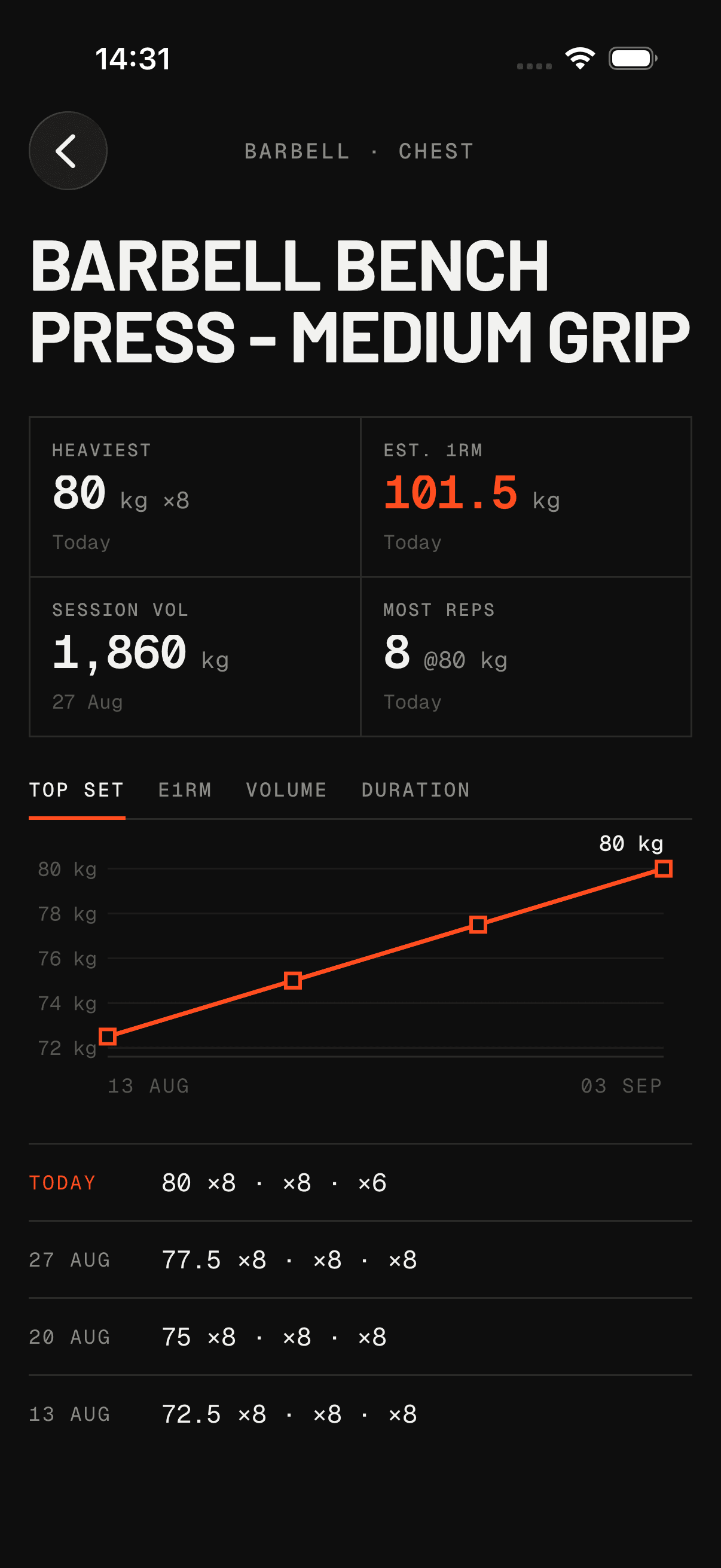
Every session per exercise, heaviest set, estimated 1RM, best volume, a progress chart. Templates to start from. A rest timer that taps you on the shoulder when it's time.
Everything you can write, on one card.
Two rules cover the ambiguity. A weight without a unit is in its page's unit, kg or lb, and the app keeps the full card one tap from the editor.
Logs in the basement. Syncs from the car park.
Everything is stored on the phone first, so the notebook never waits on reception or sign-in. Sync runs in the background when the network is back, and two devices editing offline resolve to the latest write.
The web app is the same notebook, not a viewer. Sign in with the same account to plan the week at a laptop.